The Desk
Your desk-space is most effective when it is an extension of yourself. When you consider how much time we spend at a desk, it doesn’t make sense to be using someone else’s setup or rather, a one-size-fits-all solution. I’ve been working towards a singularity; a desk that can handle everything I throw at it.
I’m an engineer
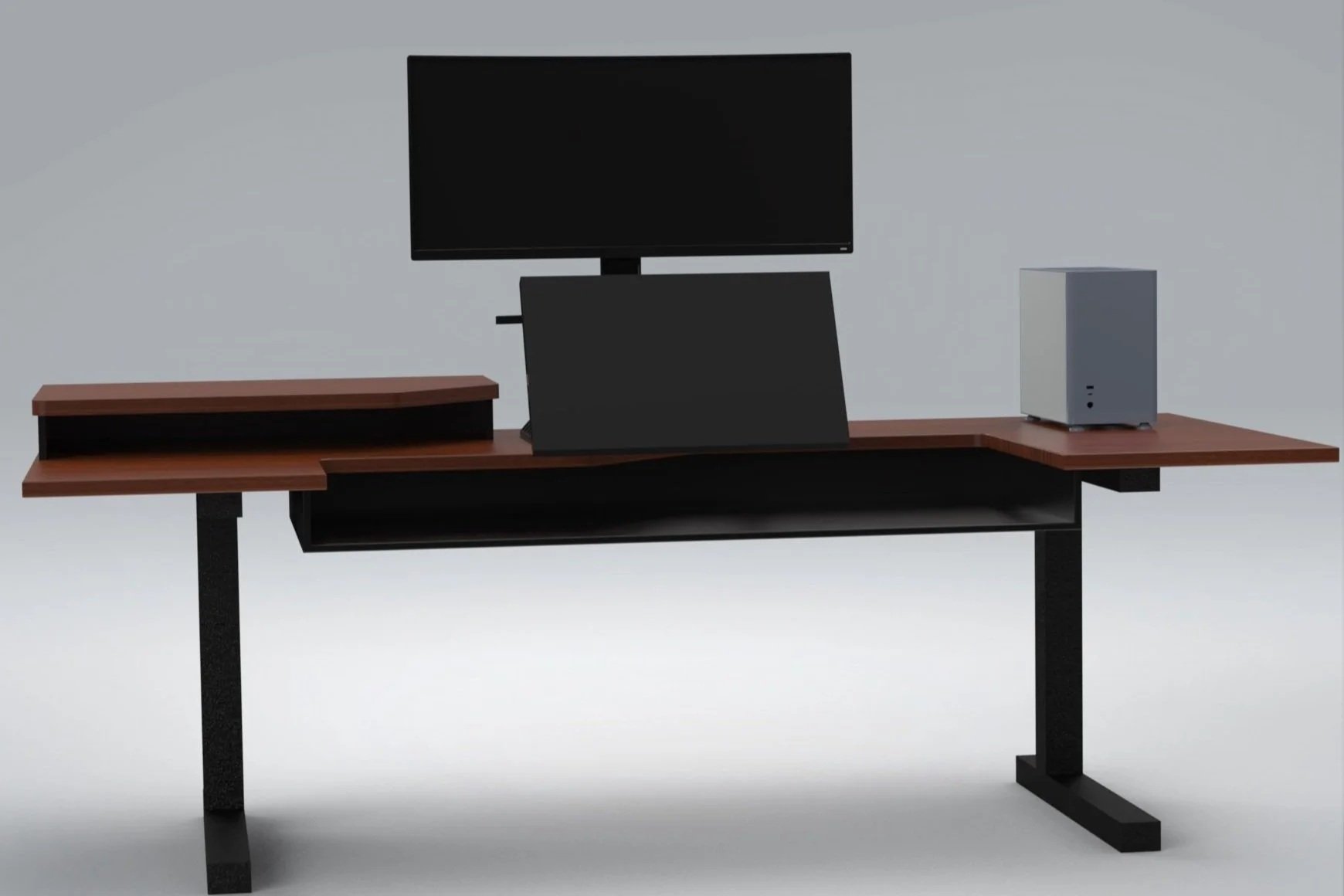
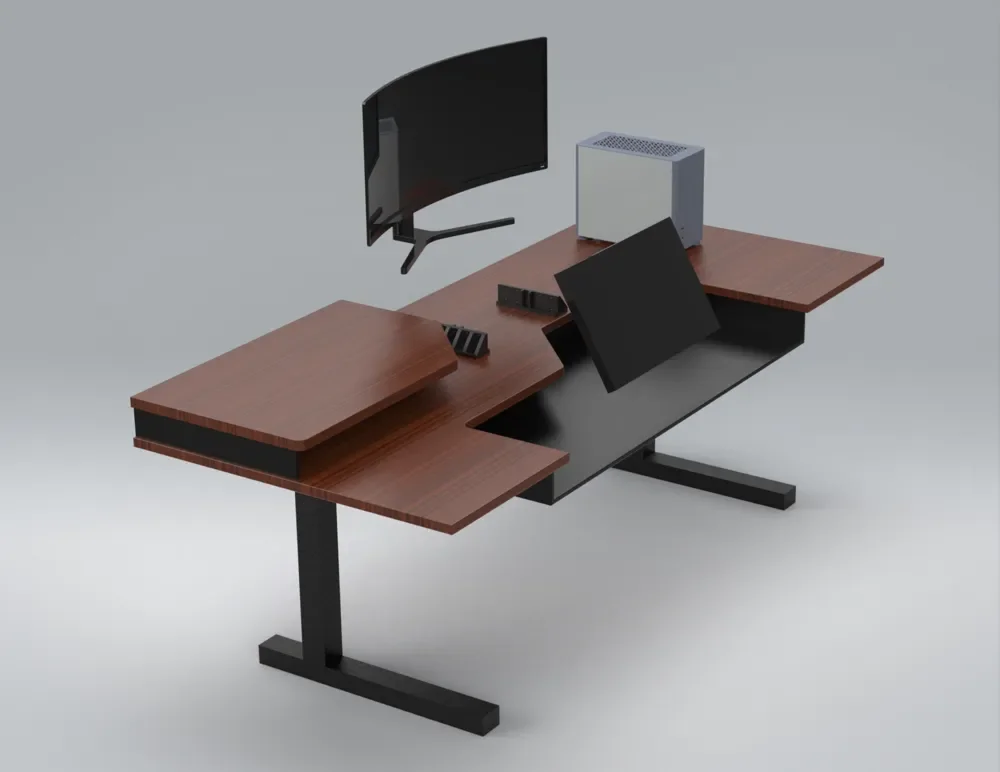
But I’m also an artist. When I’m not doodling, I want my graphics tablet to double as a second monitor. When inspiration strikes, I want it to be as simple as pulling it towards me to capture the moment. I’ve tried the classic monitor arm as a solution and it’s always wobbly. It also places the tablet far to the side when I’m already using my massive 45 inch ultrawide monitor.
My solution is a pair of linear rails with a stop block mounted to the desktop. The stop block can be adjusted to add additional resistance, but as anyone who has worked with linear rails knows, they add a significant degree on their own. As well because the graphics tablet sits above the axis of the rails, any force from pressing down on the tablet (such as that from my wrist) is not in line with the rail.
The result is a very stable and quick-deploying tablet for drawing and a much closer secondary monitor when not. I find that I put things like my stream chat, or anything that requires less attention on the tablet. But it’s fantastic to be able to deploy it in seconds when I have an idea to jot down.
Health is important
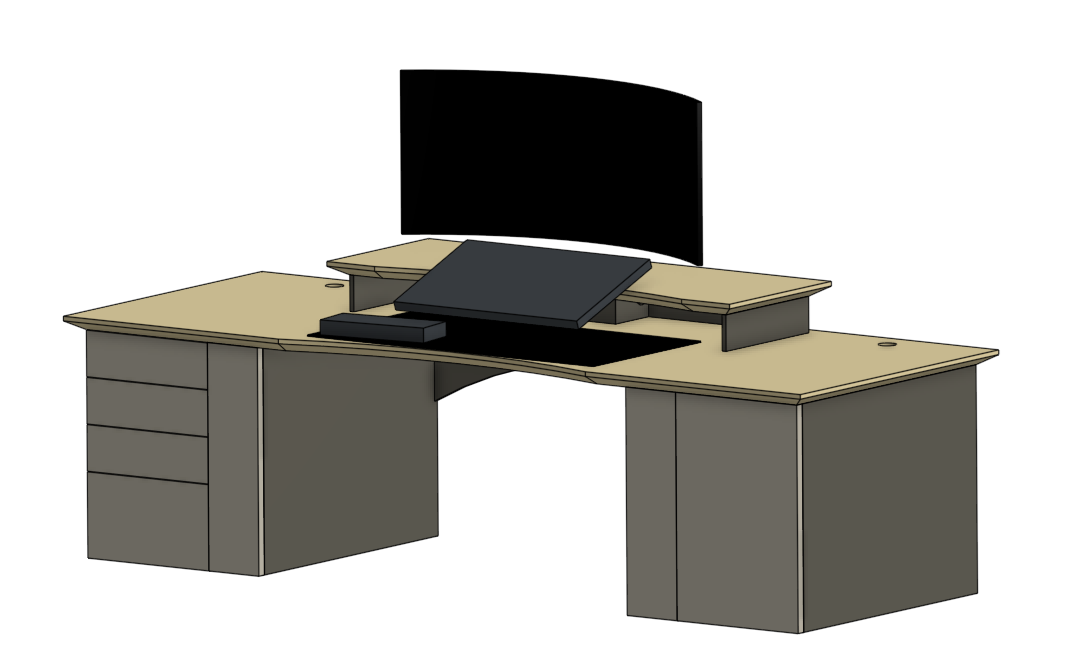
That’s what led to making a custom sit-stand desk. Unlike the CAD image shown, the real solution (that you can see here: https://youtu.be/C-vgluMmlw4?feature=shared) sits on 4 motorized legs from Flexispot. It’s made from 1 inch plywood for the top, and 1/2 inch plywood for the keyboard and mouse tray. I know trays have fallen out of favor. That’s largely due to the cheap drawer slides that they were typically made with. That’s not what we have here. My keyboard tray is solid wood, hard-mounted to the desktop. The desktop has been cut away in large sections so that it never feels like reaching into a dark corner. At the same time, the recess allows for sneaky cable management.
Another “feature” is the large amount of surface area. The left side is large enough to place a rubber cutting mat. Since I do so much design work at my desk, this is the perfect place to tinker.
Next steps?
While my setup is miles ahead of anything else I’ve tried, it’s not quite perfect. So I’m not yet satisfied. The keyboard tray has been good, but I think the next iteration will feature CNC cut-outs for integrated QI chargers to eliminate cables from being visible entirely. This would also allow me to make everything lower profile and avoid needing any kind of wrist rest.
The graphics tablet mount continues to be iterated on as I add more features. With each generation, I’m working to shrink the vertical distance between the top of the keyboard to the top of the primary monitor. This ultimately makes the setup more comfortable and avoids scenarios where I have to “look up” at the monitor.
I’m also working on solutions to mount things to the bottom of the desk. As it turns out, a sit-stand desk isn’t really a thing if your PSU is on the ground and your cables aren’t long enough. But if everything is mounted to the desktop, cable length is less of an issue.
Additional storage would also be nice. So it’s very likely that the next generation will feature cabinets that raise and lower with the top. That way all my most-used tools will be within reach, but not cluttering the desktop.
I’ve also learned a lot about the structural rigidity of plywood. It’s not that great. So the next version will be thicker, solid wood, and have more support structure to enhance rigidity.